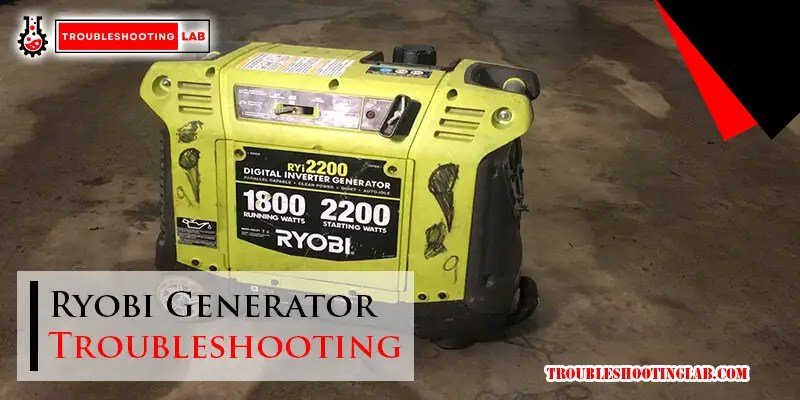
When your Ryobi 6500W generator sputters, refuses to start, or suddenly goes quiet during a critical power outage, it's more than just an inconvenience—it's a problem that needs a swift, confident solution. Navigating Ryobi 6500W generator troubleshooting and common issues might seem daunting, but with the right knowledge, many fixes are well within your reach. This guide cuts through the jargon, giving you clear, actionable steps to get your powerhouse humming smoothly again.
At a Glance: Quick Fixes for Common Ryobi 6500W Generator Woes
- Won't Start? Check for fresh fuel, a clean spark plug, and correct choke position.
- No Power Output? Reset the circuit breaker first. Then, look at the brushes or consider "flashing" the generator.
- Engine Shuts Down? Likely low oil; check and refill immediately.
- Overload Light Blinking? You've plugged in too much; disconnect some devices and reset.
- Rough Running? A dirty carburetor or stale fuel is often the culprit.
- Excessive Noise? Tighten loose parts, or inspect the muffler/exhaust.
- Preventative Maintenance is Key: Regular oil changes, air filter cleaning, and fuel stabilization save headaches down the line.
The Reliable Core of Your Power: Understanding Your Ryobi 6500W
Your Ryobi 6500W generator is designed to be a workhorse, a dependable source of power whether you're at a job site, powering essential appliances during an outage, or enjoying the great outdoors. With a 6500-watt running capacity (and often a higher starting wattage), it's capable of handling significant loads. But like any powerful machine, it requires a little attention and understanding to keep performing at its peak. Knowing the common issues and how to approach them isn't just about fixing a problem; it's about building confidence in your ability to maintain a vital piece of equipment.
Most problems you'll encounter fall into a few predictable categories: startup issues, power delivery hiccups, fuel system woes, electrical component failures, or operational noise and heat. We'll tackle each one, guiding you through the diagnosis and the practical steps to get your generator back in action.
When Silence Isn't Golden: Tackling Startup Problems
There's nothing more frustrating than needing power and your generator refusing to spark to life. Startup issues are among the most common complaints, but they're often the easiest to resolve.
Engine Won't Start: The Usual Suspects
If your Ryobi 6500W generator cranks but doesn't catch, or just sits there stubbornly, start with these fundamental checks.
- The Fuel Factor: Freshness is Key.
- Diagnosis: Old, stale gasoline is a silent killer for small engines. If your generator has been sitting for weeks or months with fuel in the tank, especially without stabilizer, that fuel can degrade, gum up components, and prevent proper combustion.
- The Fix: Drain any old or stale fuel completely from the tank. Refill with fresh, high-quality gasoline.
- Pro Tip: Always use fresh fuel and consider a fuel stabilizer if you're not going to use the generator frequently. Better yet, run the carburetor dry if storing for an extended period.
- Spark Plug: Ignite the Power.
- Diagnosis: The spark plug is responsible for igniting the fuel-air mixture. If it's dirty, fouled with carbon, or damaged, it won't produce a strong enough spark.
- The Fix: Carefully remove the spark plug (usually with a spark plug wrench). Inspect it for dirt, oil residue, or damage to the electrode. Clean it with a wire brush or a clean cloth if it's just dirty. If the ceramic is cracked, the electrode is worn, or it looks heavily fouled, it's time for a replacement.
- Important: Always use the correct spark plug type specified in your generator's manual.
- Choke Position: The Breath of Life.
- Diagnosis: The choke restricts airflow, creating a richer fuel-air mixture that's essential for cold starts. If it's in the wrong position (e.g., fully open on a cold engine), the engine might not get enough fuel to start.
- The Fix: Ensure the choke is in the "START" or "CHOKE" position when attempting a cold start. Once the engine fires and runs smoothly for a few seconds, gradually move it to the "RUN" position. On a warm engine, you may not need the choke at all.
Low Oil Shutdown: A Safety Feature, Not a Flaw
Your Ryobi generator is equipped with a vital safety mechanism: a low oil shutdown. This feature automatically stops the engine if the oil level drops below a safe threshold, preventing catastrophic engine damage.
- Diagnosis: If your generator suddenly shuts off or refuses to start, and you've confirmed fuel and spark, check the oil. Many generators will not even attempt to start if the oil level is too low.
- The Fix:
- Place the generator on a level surface.
- Check the oil level using the dipstick.
- If it's below the recommended level, add the correct type and amount of oil (refer to your manual for specifications).
- Sometimes, the oil sensor itself can malfunction, falsely indicating low oil. If adding oil doesn't resolve the issue, and you're confident the level is correct, the sensor might need cleaning or replacement.
- Prevention: Always check your oil level before starting the generator, especially after it's been sitting or used for extended periods.
Dead Battery (Electric Start): Power for the Start Button
If your Ryobi 6500W has an electric start and you hear nothing when you press the button, the battery is likely the culprit.
- Diagnosis: No click, no whir, just silence. This points to a dead or weak battery, or a poor connection.
- The Fix:
- Test the Battery: Use a voltmeter to check the battery's voltage. A fully charged 12V battery should read around 12.6-12.8V. If it's significantly lower (e.g., below 12V), it needs charging.
- Recharge or Replace: Attempt to recharge the battery using a small trickle charger. If it doesn't hold a charge, or if it's very old, replace it.
- Clean Terminals: Inspect the battery terminals for corrosion (a white, powdery substance). Clean them thoroughly with a wire brush and a battery terminal cleaner solution (or a baking soda paste).
- Secure Connections: Ensure all battery cables are securely fastened to both the battery and the generator's starter motor. Loose connections can prevent power from flowing.
Flickering Hopes: Resolving Power Output Headaches
Your generator starts, it runs, but there's no power, or the power it provides is unstable. These issues often point to problems in the electrical generation system.
No Power Output: Where's the Juice?
The engine's running, but your appliances aren't powering up. This is a common and often simple fix.
- Circuit Breaker: The First Line of Defense.
- Diagnosis: Generators have circuit breakers, just like your home's electrical panel. They trip to prevent damage from overloads.
- The Fix: Check the main circuit breaker on your generator's control panel. If it's tripped (often in the middle or "OFF" position), reset it to "ON." If it immediately trips again, you have an overload or a short in the connected devices.
- Brushes and Commutator: The Heart of AC Generation.
- Diagnosis: Inside the generator's alternator, carbon brushes make contact with the commutator to transfer current. Over time, these brushes wear down or can get stuck.
- The Fix: If your generator is older or has many hours on it, the brushes might be worn. This usually requires removing the back cover of the alternator. Inspect the brushes for length and freedom of movement. Replace worn brushes.
- Lost Residual Magnetism: A Quick Spark.
- Diagnosis: Generators rely on a small amount of "residual magnetism" in the alternator's rotor to initiate power generation. Sometimes, this magnetism can be lost.
- The Fix: This is often called "flashing" the generator. You can restore residual magnetism by briefly applying a small amount of DC voltage to the generator's output, often using a corded drill or a small 12V battery charger (with caution). If unsure, search for specific "generator flashing" guides for your model or consult a professional.
Unstable Voltage: The Flicker and Fade
If lights flicker, tools slow down, or electronics behave erratically, you might have unstable voltage.
- Clogged Carburetor: Fuel Flow Consistency.
- Diagnosis: A partially clogged carburetor jet won't deliver a consistent fuel-air mixture, leading to uneven engine speed and, consequently, unstable voltage output.
- The Fix: A thorough cleaning of the carburetor is usually required. This might involve removing the carburetor, disassembling it, and cleaning jets with carburetor cleaner. For more persistent issues, or to understand the broader context of your generator, you might want to review a comprehensive Ryobi 6500 watt generator guide.
- Automatic Voltage Regulator (AVR): The Steady Hand.
- Diagnosis: The AVR is a crucial component that regulates the output voltage. If it's faulty, it can't maintain a stable voltage.
- The Fix: A malfunctioning AVR usually needs to be replaced. This is often a plug-and-play component, but proper identification of the correct replacement part is key.
- Generator Placement: Stability Matters.
- Diagnosis: Excessive vibrations from an unstable surface can sometimes affect generator components and lead to inconsistent operation.
- The Fix: Always place your Ryobi 6500W generator on a flat, stable, level surface. This minimizes vibrations and ensures all components operate as designed.
Overload Protection Tripping: Too Much Too Soon
Your generator has a maximum wattage output. If you try to draw more power than it can provide, its overload protection will trip, indicated by a blinking overload light, to prevent damage.
- Diagnosis: The generator shuts down, the overload light blinks, or the circuit breaker trips when you connect certain devices.
- The Fix:
- Check Total Wattage: Add up the running wattage of all devices you have connected. Ensure this sum does not exceed your generator's running wattage (6500W for your model). Remember that some appliances (like refrigerators or power tools) have a much higher "starting wattage" than their "running wattage."
- Disconnect & Reset: Disconnect some of the higher-wattage devices. Reset the circuit breaker or the overload protection button (if your model has one).
- Persistent Overload: If the overload persists even with minimal load, or if the overload light comes on for no apparent reason, it could indicate an internal electrical fault. In this case, it's best to consult a professional.
- Regular Maintenance: Clogged air filters or dirty cooling fins can cause the engine to work harder and overheat, sometimes mimicking an overload situation. Regular cleaning helps prevent this.
Fueling Frustration: Diagnosing Fuel System Issues
The fuel system is the lifeblood of your generator. Problems here often manifest as difficulty starting, rough running, or inconsistent power.
Clogged Carburetor: The Blocked Pathway
A carburetor mixes fuel and air. If it's clogged, this crucial mixture is disrupted.
- Diagnosis: Common symptoms include difficulty starting, rough idling, surging, stalling, or poor power output. This is especially likely after long periods of storage without proper fuel stabilization.
- The Fix:
- Initial Clean: Turn off the fuel valve. Place a rag or container under the carburetor bowl, then open the drain screw to drain any old fuel. Spray carburetor cleaner into the bowl and any accessible openings, letting it sit briefly before re-draining.
- Deeper Clean: If the initial clean doesn't work, the carburetor may need to be removed, disassembled, and the tiny jets thoroughly cleaned. A thin piece of wire can help clear stubborn blockages in the jets.
- Replacement: If cleaning doesn't resolve the issue, or if the carburetor is heavily corroded, replacement might be the most effective solution.
- Prevention: Always shut off the fuel valve and run the generator until it stalls (emptying the carburetor bowl) before storing it for more than a few weeks. Using a fuel stabilizer is also highly recommended.
Stale Fuel: The Enemy of Engines
We touched on this with starting issues, but it bears repeating for fuel system health.
- Diagnosis: If the fuel in your generator's tank smells sour, like varnish, or looks discolored, it's stale. This often leads to hard starting or no starting at all.
- The Fix:
- Drain Completely: Drain all the old fuel from both the fuel tank and the carburetor bowl.
- Refill: Add fresh, high-quality, unleaded gasoline.
- Prevention: Use a fuel stabilizer if you're not going to use your generator for more than a month. Better yet, use up all fuel before storing, or run the carburetor dry.
Blocked Fuel Line or Filter: No Flow, No Go
Even fresh fuel can't get to the engine if its pathway is blocked.
- Diagnosis: The engine may start and then quickly die, or simply refuse to start, despite having fresh fuel. This suggests fuel isn't reaching the carburetor.
- The Fix:
- Inspect Fuel Line: Visually inspect the fuel line for kinks, cracks, or visible obstructions. Disconnect it (with the fuel valve off!) and blow compressed air through it to clear any blockages. Replace the fuel line if it's cracked, stiff, or otherwise damaged.
- Check Fuel Filter: Your Ryobi 6500W generator likely has an in-line fuel filter. Locate it (it's usually a small, clear canister between the fuel tank and the carburetor). If it looks dirty, discolored, or clogged with debris, replace it.
- Prevention: Keep a spare fuel filter on hand. Regularly inspect the fuel line for wear.
The Unseen Wires: Electrical Component Failures
Beyond the spark plug, other electrical components play a critical role. Failures here can range from subtle power dips to complete shutdowns.
Faulty Spark Plug: Beyond Just Being Dirty
While a dirty spark plug causes starting problems, a truly faulty one can lead to misfires and poor performance.
- Diagnosis: If the engine runs rough, misfires, or lacks power, even with fresh fuel and a clean carburetor, the spark plug could be failing internally.
- The Fix:
- Visual Check: Look for visible damage, severe carbon deposits that won't clean off, or cracks in the ceramic insulator.
- Gap Check: Use a spark plug gapping tool to ensure the gap between the electrodes is correct (refer to your manual).
- Replace: If damaged, heavily fouled, or simply old, replace the spark plug with the exact type recommended in your Ryobi manual.
Tripped or Damaged Circuit Breaker: Your Safety Net
Circuit breakers protect your generator, but they can also fail or be reset incorrectly.
- Diagnosis: If there's no power output even when the engine runs fine, and you've tried resetting the breaker without success, or if the breaker physically looks damaged (melted plastic, burn marks).
- The Fix:
- Reset: First, try manually resetting the circuit breaker (push it firmly to "OFF" then back to "ON").
- Inspect for Damage: If it doesn't stay reset, or if it appears physically damaged, it needs replacement. This is usually a straightforward repair for someone comfortable with basic electrical work, but ensure the generator is OFF and unplugged.
- Prevention: Avoid overloading the generator. Know the wattage limits of your Ryobi 6500W and stay within them.
Loose or Corroded Wiring: The Silent Killer
Poor electrical connections are a common, yet often overlooked, cause of generator problems.
- Diagnosis: Intermittent power, misfires, or complete failure can stem from loose or corroded wiring. Look for frayed wires, discoloration around terminals, or components that feel wobbly.
- The Fix:
- Safety First: ALWAYS turn off the generator and disconnect the spark plug wire before inspecting any electrical components.
- Inspect All Connections: Systematically check all visible wiring connections. Pay close attention to the battery terminals, the starter motor connection, connections to the control panel, and any sensor wires.
- Tighten & Clean: Tighten any loose connections. If you find corrosion, clean it off with a wire brush or electrical contact cleaner.
- Replace: If wires are frayed, cracked, or severely corroded, they must be replaced to ensure safe and proper conductivity.
- Reminder: Electricity can be dangerous. If you're uncomfortable inspecting or replacing wiring, consult a qualified technician.
Beyond the Whir: Addressing Overheating and Noise
A healthy generator runs with a consistent hum and doesn't get excessively hot. Any deviation from this can signal a problem.
Overheating Engine: Too Hot to Handle
An overheating engine can lead to premature wear and failure.
- Diagnosis: The engine feels excessively hot to the touch, or you might notice a burning smell. The generator may also shut down unexpectedly.
- The Fix:
- Clean Air Filter: A dirty or clogged air filter restricts airflow to the engine, causing it to run richer and hotter. Clean or replace the air filter regularly.
- Ventilation: Ensure the generator is operating in a well-ventilated area, away from walls, bushes, or other obstructions that could block airflow around the engine's cooling fins.
- Oil Level & Type: Low oil levels increase friction and heat. Always check your oil level and use the correct grade of high-quality oil as specified in your manual.
- Prevention: Give your generator breaks, especially during extended use, to allow it to cool down.
Excessive Noise or Vibrations: The Rattle and Hum
Generators are inherently noisy, but sudden increases in noise, new rattling, or excessive vibrations are red flags.
- Diagnosis: A new clunking, rattling, or grinding noise, or significant shaking beyond normal operation.
- The Fix:
- Tighten Fasteners: The most common cause of new noises is loose screws, bolts, or fasteners. Go over the entire unit, tightening anything that feels loose, particularly around the engine, frame, and muffler.
- Inspect for Damaged Parts: Check the muffler (which can develop internal baffles that break loose), the cooling fan, or engine mounts for damage. Replace any damaged parts.
- Stable Surface: Ensure the generator is on a flat, stable, level surface, free of debris. Uneven ground can cause the unit to vibrate excessively.
Blocked Exhaust System: The Engine's Breath
Just like an engine needs clean air in, it needs clear exhaust out.
- Diagnosis: Reduced engine power, increased engine temperature, or unusual exhaust sounds can indicate a blocked exhaust.
- The Fix:
- Clean Muffler/Exhaust Ports: Over time, carbon buildup can restrict exhaust flow. Periodically clean the muffler and exhaust ports. Some models may have a spark arrestor that needs to be cleaned or replaced.
- Inspect for Physical Damage: Check the exhaust system for physical damage like dents or cracks that could impede flow or create new noises. Replace any compromised parts.
- Clear Obstructions: Ensure the exhaust outlet is clear of any debris or snow.
- Prevention: Using high-quality fuel and avoiding fuel with excessively high ethanol content (which can contribute to carbon buildup) can help.
Keeping the Power On: Essential Routine Maintenance
Prevention is always better than cure. Regular maintenance is the single most important thing you can do to avoid most of the issues discussed above and ensure the longevity of your Ryobi 6500W generator.
Change the Oil Regularly: The Lifeblood
Engine oil lubricates moving parts, reduces friction, and dissipates heat. Dirty or low oil is a leading cause of engine failure.
- Frequency:
- Initial Break-In: Change the oil after the first 20 hours of use to remove any manufacturing debris.
- Regular Schedule: After the break-in, change the oil every 50 hours of use or every season (whichever comes first).
- Check Often: Check the oil level every single time you use the generator, or at least before each extended session.
- Oil Grade: Always use the oil grade and type specified in your Ryobi generator's manual. This is usually a 10W-30 or similar multi-viscosity oil.
Clean the Air Filter: Let It Breathe
A clean air filter is crucial for proper fuel-air mixture and prevents dust and debris from entering the engine.
- Frequency: Every 25 hours of use, or more frequently if operating in dusty conditions.
- The Process:
- Remove the air filter cover.
- Carefully remove the foam or paper filter element.
- If it's a foam filter, wash it in warm, soapy water, rinse thoroughly, and let it dry completely before reinstalling. You can lightly oil it with engine oil before reinstallation (check manual for specific instructions).
- If it's a paper filter, tap out loose dirt. If heavily soiled, torn, or damaged, replace it. Never wash a paper filter.
Inspect for Wear and Tear: Catching Problems Early
A quick visual inspection can catch small issues before they become big, expensive problems.
- Regular Checks: Before each use, or at least monthly during periods of inactivity, visually inspect your generator.
- What to Look For:
- Loose Bolts/Screws: Tighten anything that feels loose.
- Fuel Lines: Look for cracks, leaks, or kinks.
- Electrical Connections: Check for corrosion or fraying wires.
- Spark Plug: Examine for excessive carbon buildup or damage.
- Leaks: Check for oil or fuel leaks around the engine or fuel tank.
- Muffler/Exhaust: Look for rust, holes, or blockages.
- Action: Address any identified issues immediately. Tighten, clean, or replace components as needed.
Beyond the DIY: Knowing When to Call a Pro
While many common Ryobi 6500W generator issues can be resolved with DIY troubleshooting, there are times when professional help is the wisest course of action.
- Persistent Problems: If you've diligently gone through all the troubleshooting steps—checking fuel, spark, oil, cleaning the carburetor, resetting breakers—and the issue still persists, it's time to consider a professional. Recurring issues, even after a temporary fix, suggest a deeper problem.
- Suspected Internal Damage: If you hear unusual grinding, knocking, or burning smells, or suspect internal damage to components like the engine's piston, crankshaft, or the alternator's windings, a professional diagnostic is essential. Attempting complex internal repairs without specialized tools, knowledge, or experience can be dangerous and cause further damage.
- Warranty Concerns: Always check your Ryobi generator's warranty terms. Attempting unauthorized major repairs might void your warranty. If your generator is still under warranty, utilizing Ryobi's authorized service centers is the best approach for any significant repair.
- Lack of Tools or Confidence: If you don't have the necessary tools, or if you simply don't feel confident performing a particular repair, it's always safer to defer to a professional. There's no shame in knowing your limits when it comes to power equipment.
Your Power, Your Peace of Mind
Understanding your Ryobi 6500W generator and knowing how to troubleshoot its common issues empowers you to keep the lights on, the tools running, and your peace of mind intact. Most problems are straightforward if you approach them systematically, starting with the basics. Regular maintenance is your best defense against unexpected breakdowns, extending the life of your generator and ensuring it's always ready when you need it most. So, next time your Ryobi acts up, take a deep breath, consult this guide, and confidently bring your power back to life.